


The CryptoLeo Casino App runs directly in a web browser and does not depend on a classic app installation. This setup makes it easy to use on both mobile devices and computers. The platform opens smoothly on iOS, Android, Windows, and macOS without extra steps.
On our platform, deposits and withdrawals are easy to track. The design stays the same across devices, which makes navigation familiar and games perform consistently, no matter where the platform is opened.
The CryptoLeo app offers a wide selection of games supplied by established game providers. The catalog includes slots, table games, live dealer titles, and jackpot games.



Our team created CryptoLeo Casino with a clear understanding of how players actually use an online casino. Nothing looks accidental. The app does not overwhelm with features, yet nothing feels missing. Each section has a purpose, and everything works together in a predictable way.
Games load quickly, and menus respond instantly. Moving between sections does not interrupt play. This creates a calm experience that suits both short sessions and longer playtime.
| Feature | Description |
| Game Selection | More than 6,000 titles, including slots, table games, live dealer formats, and jackpot games |
| Live Casino | Real-time tables with professional dealers and stable video streams |
| Crypto Payments | Support for Bitcoin, Ethereum, Litecoin, Tether, and other digital currencies |
| Welcome Bonus System | Three-stage casino welcome bonus applied to the first three deposits |
| Rakeback | Up to 25%, calculated based on wagering activity |
| Promotions | Weekly offers and leaderboard-based tournaments |
| Interface Design | Clean layout with logical navigation |
| Customer Service | 24/7 customer service through live chat and email |
| Security | Encrypted payments and licensed game software |
| Device Access | Works on mobile browsers and desktop systems |
The CryptoLeo casino app brings all key features together in a stable and well-structured environment. The design makes moving around the app feel natural and effortless. Games, payments, and rewards are always within easy reach, and nothing feels out of place. Everything works together as one smooth system.
Android access to CryptoLeo Casino follows a different logic than classic mobile apps. The platform does not require an APK file or manual installation from external sources. Instead, it runs as a Progressive Web App. Everything works directly through the mobile browser.
This format removes the need to adjust security settings or download additional files. The platform opens quickly and keeps storage usage low. Navigation feels natural, similar to a native application, but without the usual maintenance.
Functionality on Android mirrors the desktop version. Games open without restrictions. Payment tools remain fully available. Promotions and live dealer sections load as expected. Performance stays steady on both smartphones and tablets, even during extended play sessions.
This setup provides quick access, stable performance, and automatic updates without installing an APK file or adjusting security settings.
Instead of relying on an App Store download, the platform also uses a Progressive Web App. This setup keeps access direct and avoids unnecessary software installation. Everything runs through Safari, which allows the interface to scale naturally across iPhones and iPads.
The mobile layout closely follows the desktop version, but it feels adapted rather than copied. Games remain fully available at all times. Payment sections function without limits. Promotional areas and live dealer streams load smoothly. Even during longer sessions, performance stays consistent. No extra permissions are requested, and device storage remains unaffected.
This method bypasses App Store limitations. Updates apply automatically through the browser. The result is a clean, stable iOS setup that always reflects the current version of the platform.
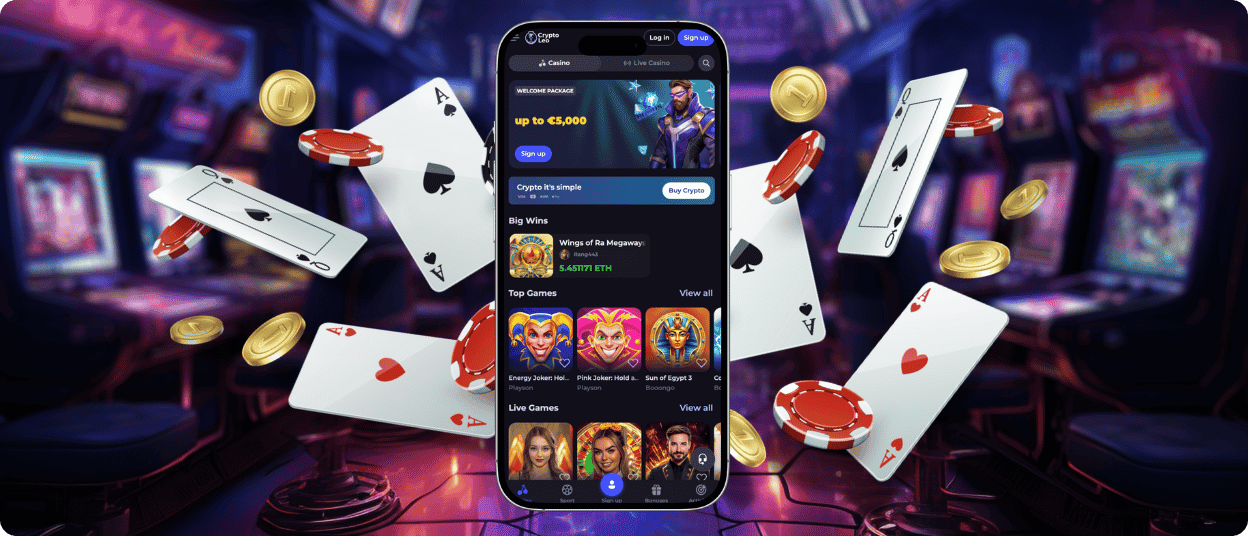
Desktop access to CryptoLeo Casino does not require additional software. The platform runs directly in a web browser and delivers the same experience on both Windows and macOS systems. This approach keeps the setup simple while preserving the full functionality expected from a modern online casino.
The website is optimized for larger screens. Pages load quickly, navigation feels natural. Game sections respond without delay. Slots, table games, live dealer titles, and promotional features remain fully available through the browser. The layout stays clear and uncluttered, which helps during longer sessions.
Access begins by opening a browser such as Chrome, Safari, Firefox, or Edge. The CryptoLeo website loads without installation or configuration. Account access follows the same process across all devices, and gameplay starts immediately once the platform opens.
For users who prefer a more fixed desktop environment, a downloadable desktop version is available. This option offers faster access and removes the need to keep a browser open. Games launch directly, and commonly used sections remain one click away.
Across Windows and macOS, the experience remains consistent. Security systems operate in the background. Payments process normally, and the game performance stays stable. CryptoLeo Casino presents a reliable desktop solution for users who prefer an online casino experience without extra setup.
Support is available at any time of day. Communication runs through live chat and email, which makes it easy to reach the team from any device. Most questions relate to accounts, payments, or bonus rules, and these are handled without unnecessary delays.
Desktop users do not need to install anything. CryptoLeo operates entirely through a web browser on both Windows and macOS systems. The browser version provides full access to games, promotions, and account tools. Performance remains stable, and loading times are comparable to a standalone application.
An account is required for full use of the app. Registration unlocks payment functions, bonuses, and real-money gameplay. Without an account, access is limited to viewing content and exploring the interface, which does not reflect the complete experience.
Yes, live dealer games are fully integrated. The live section includes blackjack, roulette, baccarat, and poker tables. Dealers host the games in real time, and streams run smoothly on both mobile and desktop devices. The format closely resembles a land-based casino session.
The game library does not change between mobile and desktop. Slots, table games, live dealer titles, and other formats remain available regardless of the device used. Progress and account activity stay synchronized when switching between platforms.
Updates happen automatically in the background. Since CryptoLeo works through a browser and PWA setup, there is no need to download new versions or approve updates manually. The platform always loads the most recent version when opened.
Withdrawals are requested from the account payment area. After selecting a method and amount, the request enters processing. The process remains transparent, with status updates visible in the account.


